 DuskPane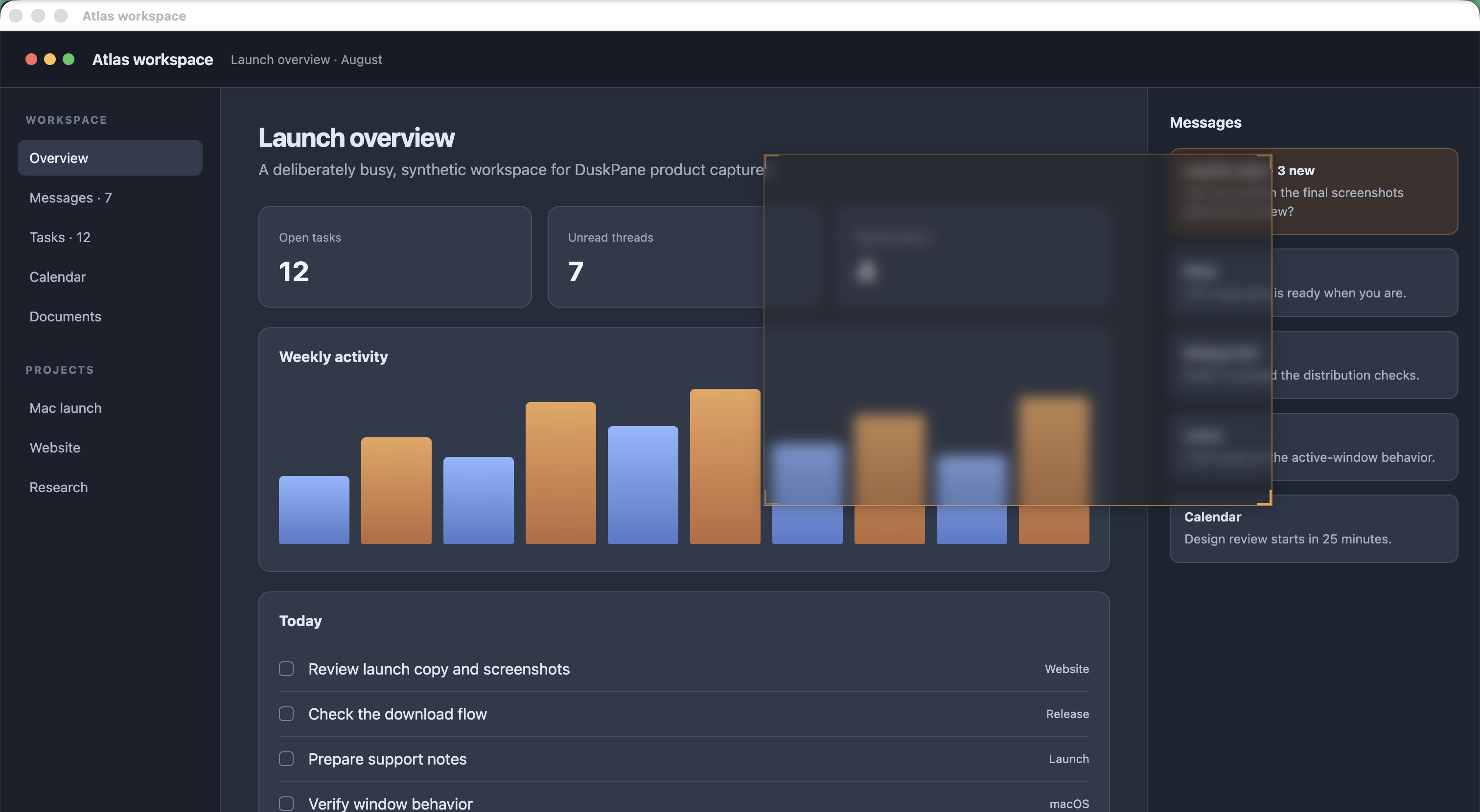
DuskPane lets you place a draggable solid or frosted overlay over a chosen part of your Mac screen. The apps beneath keep running, and the overlay stays at those screen coordinates until you move or remove it.
Set it once
How to cover one area of the screen
A manually placed cover needs no Accessibility or Screen Recording permission. It is drawn as a native Mac panel above your other windows.
-
1
Open DuskPane from the menu bar
Choose New cover. The default global shortcut is Option-Command-N if you prefer not to leave the keyboard.
-
2
Drag it over the area you want to quiet
Move the cover from inside its frame. Resize it from any edge or corner until it fits the exact part of the screen you want to obscure.
-
3
Choose Solid or Glass
Solid covers the area with a chosen color. Glass keeps the shape of the content visible but frosts its detail. Adjust opacity and blur in the cover controls.
-
4
Lock it or let clicks pass through
Lock the cover when its position is right. Turn on click-through when you want to keep using controls underneath without moving the cover.
-
5
Save the arrangement as a layout
If you use the same screen arrangement often, save the covers together and restore them from the menu bar later.
Where it fits
Useful when the noisy area stays put
DuskPane works best when the part of the screen you want to quiet has a stable position, even while you continue working elsewhere.
- Busy sidebarsFrost a chat list, activity rail, or dense navigation column while keeping the main document clear.
- Persistent panelsCover a dashboard tile, status panel, or other region that keeps pulling your eye.
- Your view during callsQuiet part of your local screen without rearranging every window. Do not rely on the cover to hide information from other people, screenshots, or recordings.
- Reusable workspacesSave multiple covers as a layout for a recurring app arrangement.
Be precise about the limit
A cover is pinned to the screen, not to a paragraph or webpage element. If the page scrolls, the page content moves and the cover does not. DuskPane is not an ad blocker and does not remove anything from the app underneath.
Choose the right tool
Screen cover, content blocker, or redaction?
These jobs can look similar, but they have different boundaries.
| Tool | What it changes | Does it follow content? |
|---|---|---|
| DuskPane cover | What is visible in a fixed screen rectangle, across Mac apps | No — content moves underneath |
| Browser content blocker | Elements inside supported webpages | Usually, because it changes the page |
| Image redaction | Pixels in a saved image or document | Not applicable; the result is static |
Not a security boundary
DuskPane changes your local view. Do not use it as secure redaction for screenshots, screen recordings, remote access, or sensitive-data handling.
Permissions
Manual covers need none
The solid and frosted covers in this guide are drawn by the macOS compositor. DuskPane does not need to read screen pixels or app-window details to keep a manually placed cover at its screen coordinates.
Optional attachment is different. If you attach a cover to an app window so it follows that window, DuskPane asks for Accessibility to read the window's position and Screen Recording for reliable stacking-order metadata. The ordinary cover shown here does not use either permission.
Common questions
Before you place a cover
Can I blur only part of my Mac screen?
Yes. Create a DuskPane cover, resize it to that part of the screen, and choose the Glass effect. You can change its blur and opacity.
Will the cover move with an ad or paragraph when I scroll?
No. The cover stays where you put it on the screen. The webpage or document can scroll underneath it.
Can I keep clicking the app underneath?
Yes. Once the cover is in place, enable click-through. Locking it as well helps prevent accidental changes.
Does this block ads?
No. DuskPane does not inspect or alter a webpage. It covers a screen area, regardless of which app or content happens to be underneath.
Does a cover protect sensitive information in a recording?
No. DuskPane is a local visual control, not secure redaction. Use a recording or editing tool designed to remove sensitive data from the final output.